Yearly Archives: 2012

Image Based Lighting

It can be difficult to achieve realistic lighting by manually placing light sources in a 3D scene. One way to quickly achieve complex and natural lighting is by using real-world light data to lighten the scene.

In order to do that, you need light data from all directions, that is, a full panoramic view. Since you most likely will be looking directly at a light source at some points on your full panorama, you’ll also need to store data that can handle a large dynamic range – 8 bits are not enough.

A common format for these maps is the equirectangular (aka longitude/latitude) format. These are simple 2D bitmaps, typically in 2:1 format, where the x axis covers 360 degrees of azimuthal (longitude) angles, and the y axis covers 180 degrees of elevation (latitude). They are often stored in RGBE (.HDR) files. A good source of free panoramic HDR’s for Image Based Lighting is the sIBL archive.

Backgrounds and reflections

It is very easy to do reflection mapping using equirectangular maps. Simply look up the reflected ray in the equirectangular map. The conversion from 3D direction to map indices is straight-forward:

vec3 equirectangularMap(vec3 dir, sampler2D sampler) {
	// Convert (normalized) dir to spherical coordinates.	
	vec2 longlat = vec2(atan(dir.y,dir.x),acos(dir.z));
	// Normalize, and lookup in equirectangular map.
 	return texture2D(sampler,longlat/vec2(2.0*PI,PI)).xyz;
}

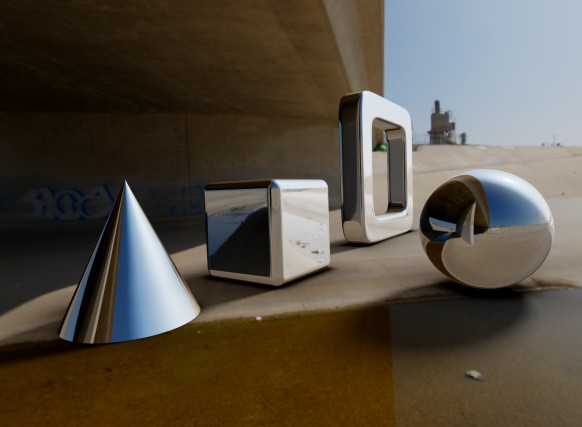
This can also be used to embed the scene in a panoramic view, by looking up the camera ray direction for points that do not hit anything. Here is an example image where reflections and background is sampled from an environment map:

No light model was used in the above image – just pure reflection mapping.

Diffuse light

So what about the diffuse light? Normally, this is modelled by a Lambertian term: the diffuse intensity is proportional to the cosine of the angle between the surface normal and light source direction. In principle, we need to calculate the angle to all points on the hemisphere pointing in the direction of the surface normal, and sum all these contributions. This means, that for each each pixel we raytrace, we need to sample half (one hemisphere) of the pixels in the equirectangular map. Much to slow for even a modern GPU.

But here is the interesting part: the diffuse light contribution is only a function of the surface normal direction. This means we can precalculate the diffuse light in a given normal direction, and store this in a new equirectangular map. Mathematically, this filtering is called a cosine convolution, and some HDR panorama providers are nice enough to provide prefiltered maps for diffuse light (for instance all those in the sIBL archive).

Here is an example of some spheres rendered with specular and diffuse light maps. The materials are faded from pure diffuse (left) to pure specular (right).

As we saw earlier, pure reflection is easy to achieve. But it is also possible to use the Phong reflection model (or other models) with image based lighting. In the Phong model, the specular light intensity depends on the angle between the light source and reflected camera ray. The intensity is proportional to the cosine of this angle raised to a power, which controls the smoothness. Again it is possible to precalculate a convoluted map using the cosine raised to the appropriate power.

Shadows and ground planes

In order to do proper shadows, we would have to check whether the path to every single point on the light map was occluded. Again, this is not feasible. One way to work around this, is to place a single directional light source and then check whether we have a clear to this particular light source. This works nicely, if the light map has a single dominant light source, such as a sun.

But a problem arise since we do not have any background objects to cast shadows on – the objects in the environment map are placed an infinite distance away, and we don’t know their geometry. Consider this image:

There is no sense of the positioning of the objects in this scene – they seem to float at undefinable locations.

To improve this, we can introduce a ground plane, an invisible object, whose only purpose is to catch shadows.

In Fragmentariums IBL-raytracer, you can enable this under the floor tab. It is also possible to turn on some visual debug, to align the floor with the environment map:

Now, once we have set up the ground plane, we can add some ambient occlusion:

… and some shadows:

In order to sample the shadows, we need to sample the area of the light source uniformly. In the case of a sun-like object, this means sampling a hemisphere in a specified direction and for a given latitude span. A formula for this is given in the Global Illumination Compendium (formula 34). To use this, you need to transform the coordinate system to a new one aligned with the light source direction. I do this:

vec3 getSample(vec3 dir, float extent) {
	// Create orthogonal vector (fails for z,y = 0)
	vec3 o1 = normalize(vec3(0., -dir.z, dir.y));
	vec3 o2 = normalize(cross(dir, o1));
	
	// Convert to spherical coords aligned to dir
	vec2 r = getUniformRandomVec2();
	r.x=r.x*2.*PI;
	r.y=1.0-r.y*extent;

	float oneminus = sqrt(1.0-r.y*r.y);
	return cos(r.x)*oneminus*o1+sin(r.x)*oneminus*o2+r.y*dir;
}

Here ‘extent’ is the size of the light source we sample. It is given as ‘1-cos(angle)’, so 0 means a point-like light source (sharp shadows) and 1 means a full hemisphere light source (no shadows).

Notice the construction of the aligned coordinate systems fails if ‘dir’ has zero y and z components – if needed, this should be handled as a special case.

Problems with Simple Image Based Lighting

Since no secondary rays are traced for the specular reflections, some geometry ends up with very unrealistic shading:

The problems here is that the reflections on the inside on the box sees through the sides. So this simple lighting approach works best for convex objects. Here is another example:

(btw, this is Kali’s dragonKIFS system)

Here again the lighting seems unrealistic – something about the specular light is just wrong.

Finally, the combination of the rapidly varying surface normals on a fractal surface and rapidly varying light sources on the environment map introduces new problems. Take a look at this image:

Here there are several small, but strong (HDR) spotlights placed above the Mandelbulb. This image will be very slow to converge and will contain noisy specular highlights: occasionally, one of the subpixel samples will hit a strong light source, which will dominate the sum for the pixel. This will break the sub-pixel anti-aliasing efforts. It is possible to set a maximum (clip) on the specular contributions – or to do HDR tonemapping before averaging – but both solutions goes against the very idea of introducing HDR.

While the specular noise from strong point-like light sources will be difficult to combat, it is easier to do something about the geometry violating reflections.

As of now, I think the best solution is to trace at least secondary rays, and then apply the approximated IBL lighting on the secondary hit points. On problem is that diffuse light does not fall off as quickly as specular light, so you need to sample a lot of points on the hemisphere to get convergence. There are ways around this – for instance, Pixar use bent normals in their Renderman solution, before looking up in the diffuse environment map.

I’ll give a more detailed discussion of the sampling process and the convolution map creation in the next blog post, where I’ll talk about how to speed up diffuse and specular sampling using importance sampling and stratification.

Finally, all the image maps used for lighting on the images accompanying this blog post were from the sIBL archive. And all 3D geometry and composition was of course done in Fragmentarium.
Stereographic Quaternion Julias

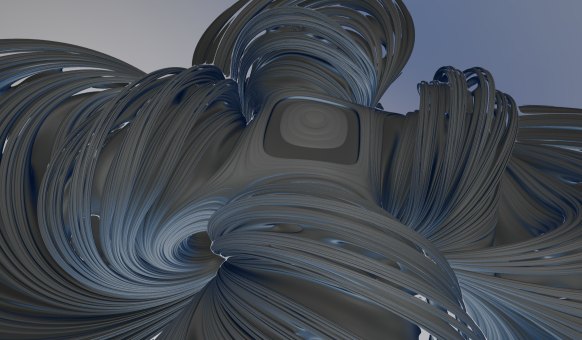
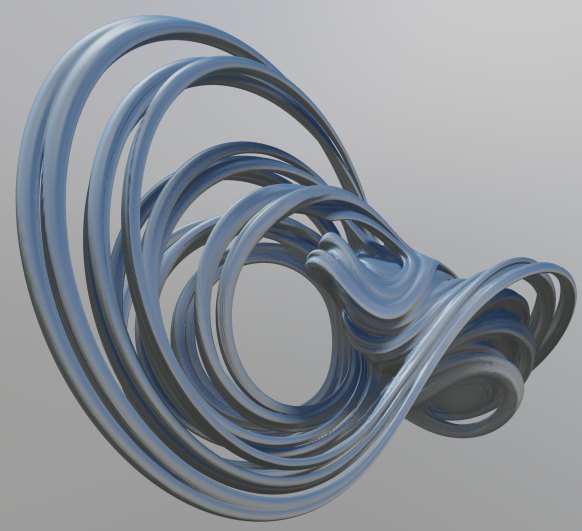
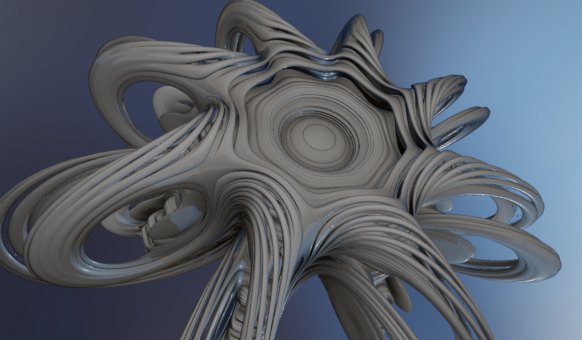
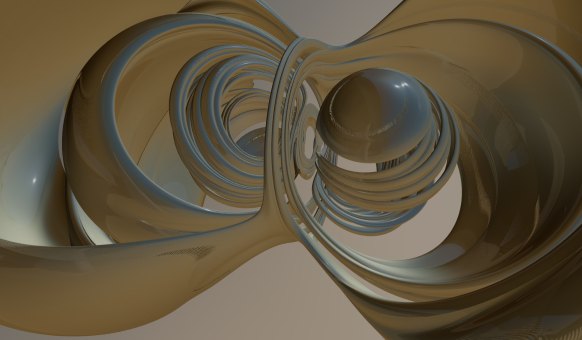
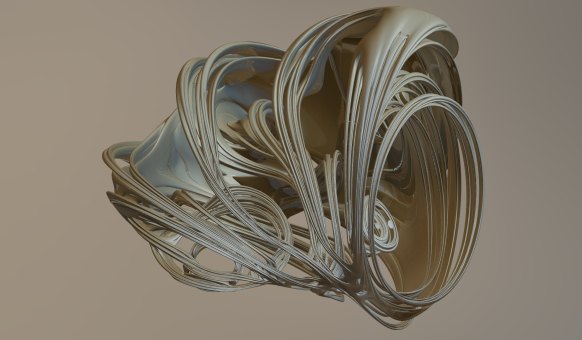
Inverse stereographic projections allows you to project a plane onto a sphere. These projections generalize to higher dimensions: for instance, you can inverse project every point in 3D onto the four dimensional 3-sphere. Daniel Piker suggested to use the same transformation to depict the Quaternion Julia systems, instead of using the standard 3D slicing (at least that was what I though – see the update below).

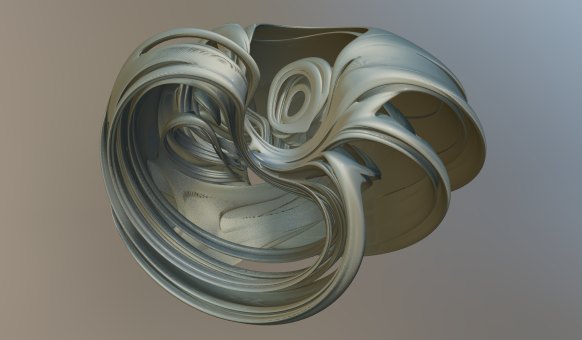
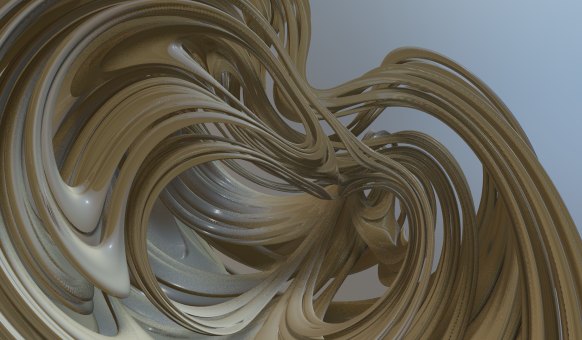
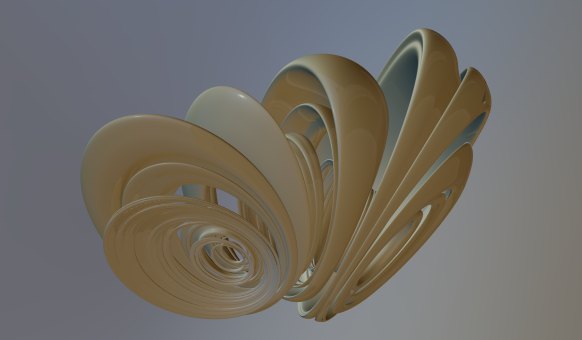
They are still clearly originating from the Quaternions, but the transformation adds a bit of spice. Here are some images:

I’ve previously used stereographic projection to depict Mobius fractals and they were also used to depict the 4D polychora.

For high resolution versions, see my Flickr account.

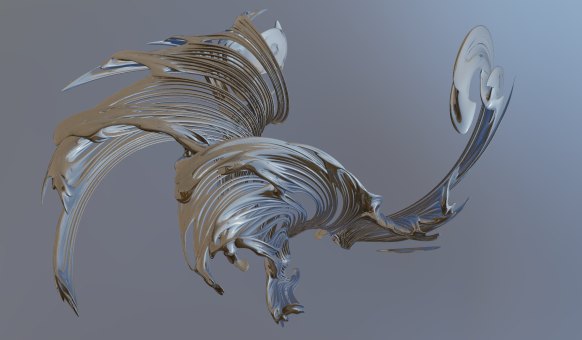
Update: turns out that what Daniel Piker was suggesting, was to do the stereographic transformation, and then split the 4D coordinates into a starting point and a Julia seed for the ordinary complex (not quaternion) system. I tried this as well, and it creates some very interesting images too:

Rendering 3D fractals without a distance estimator

I have written a lot about distance estimated 3D fractals, and while Distance Estimation is a fast and elegant technique, it is not always possible to derive a distance estimate for a particular system.

So, how do you render a fractal, if the only knowledge you have is whether a given point belongs to the set or not? Or, in other words, how much information can you extract if the only information you have is a black-box function of the form:

bool inside(vec3 point);

I decided to try out some simple brute-force methods to see how they would compare to the DE methods. Contrary to my expectations, it turned out that you can actually get reasonable results without a DE.

First a couple of disclaimers: brute-force methods can not compete with distance estimators in terms of speed. They will typically be a magnitude slower. And if you do have more information available, you should always use it: for instance, even if you can’t find a distance estimator for a given escape time fractal, the escape length contains information that can be used to speed up the rendering or create a surface normal.

The method I used is not novel nor profound: I simply sample random points along the camera ray for each pixel. Whenever a hit is found on the camera ray, the sampling will proceed on only the interval between the camera and the hit point (since we are only interested in finding the closest pixels), e.g. something like this:

for (int i=0; i

(The Near and Far distances are used to restrict the sample space, and speed up rendering)

There are different ways to choose the samples. The simplest is to just sample uniformly (as in the example above), but I found that a stratified approach, where the camera ray segment is divided into equal pieces and a sample is choosen from each part works better. I think the sampling scheme could be improved: in particular once you found a hit, you should probably bias the sampling towards the hit to make convergence faster. Since I use a progressive (double buffered) approach in Fragmentarium, it is also possible to read the pixel depths of adjacent pixels, which probably also could be used.

Now, after sampling the camera rays you end up with a depth map, like this:

(Be sure to render to a texture with 32-bit floats - a 8-bit buffer will cause quantization).

For distance estimated rendering, you can use the gradient of the distance estimator to obtain the surface normal. Unfurtunately this is not an option here. We can, however, calculate a screen space surface normal, based on the depths of adjacent pixels, and transform this normal back into world space:

// Hit position in world space.
vec3 worldPos = Eye + (Near+tex.w*(Far-Near)) * rayDir;

vec3 n = normalize(cross(dFdx(worldPos), dFdy(worldPos)));	

(Update: I found out that GLSL supports finite difference derivatives through the dFdx statement, which made the code above much simpler).

Now we can use a standard lighting scheme, like Phong shading. This really brings a lot of detail to the image:

In order to improve the depth perception, it is possible to apply a screen space ambient occlusion scheme. Recently, there was a very nice tutorial on SSAO on devmaster, but I was to lazy to try it out. Instead I opted for the simplest method I could think of: simply sample some pixels in a neighborhood, and count how many of them that are closer to the camera than the center pixel.

float occ = 0.;
float samples = 0.;
for (float x = -5.; x<=5.; x++) {
  for (float y = -5.; y<=5.; y++) {
    if (x*x+y*y>25.) continue;
    vec3 jitteredPos = pos+vec2(dx*(x+rand(vec2(x,y)+pos)),dy*(y+rand(vec2(x,y)+pos);
    float depth = texture2D(frontbuffer,jitteredPos).w;
    if (depth>=centerDepth) occ+=1.;
    samples++;
  }
}
occ /= samples;

This is how this naive ambient occlusion scheme works:

(Notice that for pixels with no hits, I've choosen to lighten, rather than darken them. This creates an outer glow effect.)

Now combined with the Phong shading we get:

I think it is quite striking how much detail you can infer simply from a depth map! In this case I didn't color the fractal, but nothing prevents you from assigning a calculated color. The depth buffer information only uses the alpha channel.

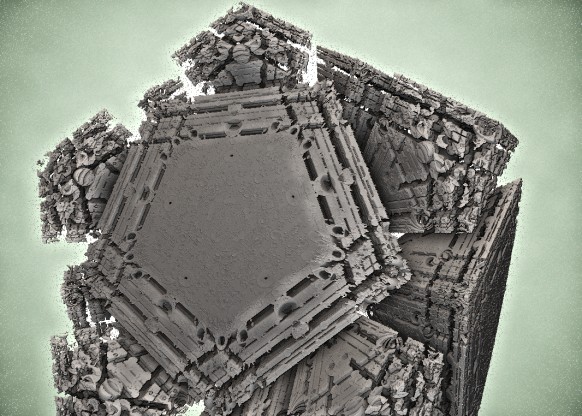
Here is another example (Aexion's MandelDodecahedron):

While brute-force rendering is much slower than distance estimation, it is possible to render these systems at interactive frame rates in Fragmentarium, especially since responsiveness can be improved by using progressive rendering: do a number of samples, then storing the best found solution (closest pixel) in a depth buffer (I use the alpha channel), render the frame and repeat.

There are a couple of downsides to brute force rendering:

  • It is slower than distance estimation
  • You have to rely on screen space methods for ambient occlusion, surface normals, and depth-of-field
  • Anti-aliasing is more tricky since you cannot accumulate and average. You may render at higher resolution and downsample, or use tiled rendering, but beware that screen space ambient occlusion introduce artifacts which may be visible on tile edges.

On the other hand, there are also advantages:

  • Much simpler to construct
  • Interior renderings are trivial - just reverse the 'inside' function
  • Progressive quality rendering: just keep adding samples, and the image will converge.

To use the Fragmentarium script, just implement an 'inside' function:

#define providesInside
#include "Brute-Raytracer.frag"

bool inside(vec3 pos) {
    // fractal definition here 
}

It is also possible to use the raytracer on existing DE's - here a point is assumed to be inside a fractal if the DE returns a negative number, and outside if the DE returns a positive one.

#include "Brute-Raytracer.frag"

float DE(vec3 pos) {
    // fractal definition here
    // notice, that only the sign of the return value is checked
}

The script can be downloaded as part of Fragmentarium source distribution (it is not yet in the binary distributions). The following files are needed:

Tutorials/3D fractals without a DE.frag
Include/Brute-Raytracer.frag
Include/DepthBufferShader.frag
Include/Brute3D.frag

Fragmentarium Version 0.9.12 (“Prague”) Released

I’ve released a new build of Fragmentarium, version 0.9.12 (“Prague”). It can be downloaded at Github. (Binaries for Windows, source for Windows/Linux/Mac)

The (now standard) caveat apply: Fragmentarium is very much work in progress, and is best suited for people who like to experiment with code.

Version 0.9.12 continues to move Fragmentarium in the direction of progressive HDR rendering. The default raytracers now use accumulated rendering for anti-alias, shadowing, and DOF. To start the progressive rendering, Fragmentarium must be set to ‘Continuous’ mode. It is possible to set a maximum number of rendered frames. All 2D and 3D system now also come with tone mapping, gamma correction, and color control (see the ‘Post’ tab).


IBL Raytracing, using an HDR panorama from Blotchi at HDRLabs.

There is a new raytracer, ‘IBL-raytracer.frag’ which can be used for DE’s instead of the default raytracer. It uses Image Based Lighting from HDR panorama maps. For an example of the new IBL raytracer, see the tutorial: “25 – Image Based Lighting.frag”.

If you need to do stuff like animation, it is still possible to use the old raytracers. They can be included as: “#include “DE-Raytracer-v0.9.1.frag” or “#include “DE-Raytracer-v0.9.10.frag”

Other than that there is now better support for buffer-swap systems (e.g. reaction-diffusion and game-of-life) and better control of texture look-ups.

There are also some interesting new fragments, including the absolutely amazing LivingKIFS.frag script from Kali.

New features

  • Added maximum subframe counter (for progressive rendering).
  • Added support for HDR textures (.hdr RGBE format).
  • Tonemapping, color control, and Gamma correction in buffershader.
  • Added support for widget for changing bound textures.
  • More host defines:
    #define SubframeMax 0
    #define DontClearOnChange   <- when sliders/camera changes, the backbuffer is not cleared.
    #define IterationsBetweenRedraws 20  <- makes it possible to do several steps without updating screen.
    
  • Added texture parameters preprocessor defines:
    #TexParameter texture GL_TEXTURE_MIN_FILTER GL_LINEAR
    #TexParameter texture GL_TEXTURE_MAG_FILTER GL_NEAREST
    #TexParameter texture GL_TEXTURE_WRAP_S GL_CLAMP
    #TexParameter texture GL_TEXTURE_WRAP_T GL_REPEAT
    
  • Change of syntax: when using "#define providesColor", now implement a 'vec3 baseColor(vec3)' function.
  • DE-Raytracer.frag now uses a 'Blinn-Phong with Schickl term and physical normalization'. (Which is something I found in Naty Hoffman's Course Notes).
  • DE-Raytracer.frag and Soft-Raytracer now uses new '3D.frag' base class.
  • Added a texture manager (should reuse and discard textures in memory automatically)
  • Added option to set OpenGL refresh rate in preferences.
  • Progressive2D.frag now supports custom filtering (using '#define providesFiltering')
  • Added support for choosing '#include' through editor context menu.
  • Using arrow keys now work when sliders have focus.
  • Now does a 'reset all' when loading new system (otherwise too confusing).

New fragments

  • Added 'Kali's Creations': KaliBox, LivingKIFS, TreeBroccoli, Xray_KIFS. [Kali]
  • Added Doyle-Spirals.frag [Knighty]
  • Added: Droste.frag (Escher Droste effect)
  • Added: Reaction-Diffusion.frag (Gray-Scott example)
  • Added 'Convolution.frag' example (For precalculating specular and diffuse lighting from HDR panoramas)
  • Added examples of working with double precision floats and emulated double precision floats: "Include/EmulatedDouble.frag", "Theory/Mandelbrot - Emulated Doubles.frag"
  • Added 'IBL-Raytracer.frag' (Image Based Lighting raytracer)
  • Added tutorials: 'progressive2D.frag' and 'pure3D.frag'
  • Added experimental: 'testScene.frag' and 'triplanarTexturing.frag'
  • Added 'Thorn.frag'

Bug fixes

  • Reflection is now working again in 'DE-Raytracer.frag'
  • Fixed filename case sensitivity error when doing reverse lookup of line numbers.

Mac users

Some Mac users has reported problems with the latest versions of Fragmentarium. Again, I don't own a Mac, so I cannot solve these issues without help.

For examples of images generated with the new version, take a look at the Flickr Fragmentarium stream.

Finally, please read the FAQ, before asking questions.

Gamma Correction

Gamma correction is certainly not the most sexy topic in computer graphics. But it needs to be taken into account whenever you perform almost any kind of graphical manipulation.

The most widely used way to transfer image and color information is by encoding them as 8-bit RGB colors. Unfortunately, the human eye does not perceive brightness linearly as a function of the physical intensity. Since we are dealing with only 256 levels for each color channel, we apply a non-linear encoding – a gamma encoding – to make the most of our limited bits – otherwise we would experience banding in the range where the eye is most sensitive.

Typically, a simple power law is used: \(Encoded = Linear^{0.45}\)

The display hardware then performs the inverse transformation for the final output: \(Linear = Encoded^{1/0.45} = Encoded^{2.2}\). This last exponent (2.2) is referred to as the gamma value.

On a modern computer, this means that all 8-bit media (your typical images, such as JPG’s and PNG’s) are gamma encoded, and not stored with linear intensities. The 8-bit framebuffers that are sent to the GPU, are also expected to be gamma encoded to make the most of the limited range. So far, all is well: you can read an image from a JPG and send it directly to the framebuffer – it will then display correct.

But problems arise when you start manipulating the graphics data. For instance, imagine you are downsizing an image with a checkerboard pattern of pure white and pure black pixels, until is small enough to be constant colored. You might guess, that the proper average value should be 0.5 (this discussion assumes that color values are not in the integer range [0,255], but normalized to [0,1]). But if you are working in gamma corrected space, the correct value is (0.5^(1/2.2)) =~ 0.73. This is the value you should send to the framebuffer in order to get an average physical intensity of pure black and white on your monitor. Notice that all browsers, and many photo manipulation programs fail to perform correct gamma-aware resizing.

The same applies to 3D graphics. All these lighting and shades techniques (e.g. Blinn-Phong shading) are designed to work in linear intensity space.

So the correct procedure when working with graphics is to convert all gamma encoded media to linear intensities, perform any calculation/blending/averaging, and convert back to gamma encoding. Notice, that this requires that you use something with more resolution than 8-bit integers (typically 32-bit floats) when working in linear space. Otherwise, too much resolution would be lost, and the whole point of gamma encoding would be lost. Also notice that media and images in high dynamic formats, such as HDR (.rgbe) and RAW typically are in linear space and should not be converted.

The following image sums up when and how to use gamma encoding and do conversions:

Here is an example of an image with and without a gamma-aware rendering pipeline:

The image on the left has been rendered completely ignoring gamma. The image on the right has proper gamma handling. Notice, that gamma-aware rendering does not necessarily look better – If you turn on gamma correct rendering, you images will be lighter, and might loose contrast, so you might have to adjust light sources and exposure.

Gamma Correction in Fragmentarium

In Fragmentarium the base classes “Progressive2D.frag” and “DE-raytracer.frag” are both gamma-aware. When you implement a color function, e.g. for the 2D case:

vec3 color(vec2 pos) { ... }

and for the 3D case:

#define providesColor
vec3 baseColor(vec2 pos) { ... }

the returned color is expected to be gamma corrected. If you want to supply linear colors, insert a

#define linearGamma

at the top of the script.

And all the rest…

Many gamma discussions on the internet revolve around how old CRT monitors expected a non-linear input. And it is indeed true that older CRT monitors had a relation between the light intensity and the applied voltage which was roughly like: \(intensity = voltage^{2.5}\). But modern displays, such as the TFT panels, do not have similar simple power law relations between the voltage and the intensity. Still, when you send 8-bit data to the framebuffer, you must gamma encode it, with a gamma of around 2.2. This will not change for as long as 8-bit data is used as data transfer format.

A few other points:

  • The encoding expected and used for 8-bit format is not always a simple gamma power-law relation. More often the sRGB encoding is used. It is, however, very similar to a power-2.2 gamma encoding, and for most applications, the difference is not important.
  • For a good discussion of what exactly is meant by intensity and brightness, see the Gamma FAQ.
  • OpenGL and Direct3D may perform sRGB encoding/decoding directly in hardware. This is the preferred way, since for instance texture interpolation is performed correctly.
  • Sometimes linear intensities are stored in 8-bit data, despite the loss of perceived dynamic levels. This might be the case in game pipelines (to reduce data size).

Further reading:
Naty Hoffman’s Adventures with Gamma-Correct Rendering
GPU Gems 3: The Importance of Being Linear

Reaction-Diffusion Systems

Reaction-diffusion systems model the spatial dynamics of chemicals. An interesting early application was Alan Turing’s theory of Morphogenesis (Turing’s 1951 paper). Here, he suggested, that the pattern formation in animal skin could be explained by a two component reaction-diffusion system.

Reaction-diffusion systems are interesting, because they display a wide range of self-organizing patterns, and they have been used by several digital artists, both for 2D pattern generation and 3D structure generation.

The reaction-diffusion model is a great example of how complex large-scale structure may emerge from simple, local rules.

Modelling Reaction-Diffusion on a GPU

As the name suggests, these systems have two driving components: diffusion, which tends to spread out or smoothen concentrations, and reactions, which describe how chemical species may transform into each other.

For each chemical species, it is possible to describe the evolution using a differential equation on the form:

\(\frac {dA}{dt} = K \nabla^2 A + P(A,B)\)
 
Where A and B are fields describing the concentration of a chemical species at each point in space. The \(K\) coefficient determines how quickly the concentration spreads out, and \(P(A,B)\) is a polynomial in the different species concentrations in the system. There will be a similar equation for the B field.

To model these, we can represent the concentrations on a discrete grid, which fits nicely on a 2D texture on a GPU. The time derivative can solved in discrete time steps using forward Euler integration (or something more powerful). On a GPU, we need two buffers to do this: we render the next time step into the front buffer using values from the back buffer, and then swap the buffers.

Buffer swapping is a standard technique, and in Fragmentarium the only thing you need to do, is to declare a ‘uniform sampler2D backbuffer;’ and Fragmentarium will take care of creation and swapping of buffers. We also use the Fragmentarium host define ‘#buffer RGBA32F’ to ask for four-component 32-bit float buffers, instead of the normal 8-bit integer buffers.

The Laplacian may be calculated using a finite differencing scheme, for instance using a five-point stencil:

vec3 P = vec3(pixelSize, 0.0); 

// Five point stencil Laplacian
vec4  laplacian5() {
	return 
	+  texture2D( backbuffer, position - P.zy)
	+  texture2D( backbuffer, position - P.xz) 
	-  4.0 * texture2D( backbuffer,  position )
	+ texture2D( backbuffer,  position + P.xz )
	+ texture2D( backbuffer,  position +  P.zy );
}

(see the Fragmentarium source for a nine-point stencil).

A simple two-component Gray-Scott system may then be modelled simply as:

// time step for Gray-Scott system:
vec4 v = texture2D(backbuffer, position);
vec2 lv = laplacian5().xy; // laplacian
float xyy = v.x*v.y*v.y;   // utility term
vec2 dV = vec2( Diffusion.x * lv.x - xyy + f*(1.-v.x), Diffusion.y * lv.y + xyy - (f+k)*v.y);
v.xy += timeStep*dV;

(Robert Munafo has a great page with more information on Gray-Scott systems).

Here is an example of a typical system created using the above system, though many other patterns are possible:

It is also possible to enforce some structure by changing the concentrations in certain regions:

You can even use a picture to modify the concentrations:

A template implementation can be found as part of the Fragmentarium source at GitHub: Reaction-Diffusion.frag. Notice, that this fragment requires a recent source build from the GitHub repository to run.

Reaction-Diffusion systems used by artists

Several artist have used Reaction Diffusion systems in different ways, but the most impressive examples of 2D images I have seen, are the works of Jonathan McCabe. For instance his Bone Music series: or his Turing Flow series:

McCabe’s images are created using a more complex multi-scale model. Softology’s blog entry and W:Blut’s post dissect McCabe’s approach (there is even a reference implementation in Processing). Notice, that Nervous System sells some of McCabe’s works as jigsaw puzzles.

Reaction-Diffusion systems in WebGL

Felix Woitzel (@Flexi23) has created some beautiful WebGL-based reaction-diffusion demos, such as this Fluid simulation with Turing patterns:


He also has created several other RD based variants over at WebGL Playground.

Fabricated 3D Objects

Jessica Rosenkrantz and Jesse Louis-Rosenberg at Nervous System create and sell objects designed and inspired by generative processes. Several of their objects, including these cups, plates, and lamps are based on reaction-diffusion systems, and can be bought from their webshop.

Be sure to read their blog entries about reaction-diffusion. And don’t forget to take a look at their Cell Cycle WebGL design app, while visiting.

Reaction-Diffusion Software

An easy way to explore reaction-diffusion systems with doing any coding is by using Ready, which uses OpenCL to explore RD systems. It has several interesting features, including the ability to run systems on 3D meshes and directly interact and ‘paint’ on the surfaces.

It also lets you run Game-of-Life on exotic geometries, such as a torus or even something as exotic as a Penrose tiling.

Double Precision in OpenGL and WebGL

This post talks about double precision numbers in OpenGL and WebGL, and how to emulate them if there is no native hardware support.

In GLSL 4.00.9 (which is OpenGL 4.0) and higher, there is a native double precision floating point type. And if your graphics card is able to run OpenGL 4.0, it most likely has native hardware support for doubles (except for a few ATI/AMD cards). There are some caveats, though:

  1. Not all functions are supported with double precision arguments. For instance, there are no trigonometric and exponential functions. (The available functions may be found here).
  2. You can not pass double precision ‘varying’ parameters from the vertex shader to the fragment shader, and have the GPU automatically interpolate them. Double precision varying variables must be flat.
  3. Double precision performance may be artificially limited by the hardware manufacturers. This is the case for Nvidia’s Fermi architecture, where the scientific computing brand, the Tesla series, can execute double precision arithmetics at half the speed of single precision, while the consumer brand, the GeForce series, only can execute double precision arithmetics at 1/8 the speed of single precision. For Nvidia’s brand new Kepler architecture used in the GeForce 600 series, things change again: here the difference between single and double precision will be a whopping factor 24! Notice, that this will also be the case for some cards in the Kepler Tesla branch, such as the Tesla K10.
  4. In Fragmentarium (and in general, in Qt’s OpenGL wrapper classes) it is not possible to set double precision uniforms. This should be easy to circumvent by using the OpenGL API directly, though.


(Non-related Fragmentarium image)

In order to use double precision, you must either specify a GLSL version 4.00 (or higher) or use the extension:

#extension GL_ARB_gpu_shader_fp64 : enable

Older cards, like the GeForce 310M in my laptop, does not support double precision in hardware. Here it is possible to use emulated double precision instead.

I used the functions by Henry Thasler described here in his posts, to emulate a double precision number stored in two single precision floats. The worst part about doing emulated doubles in GLSL, is that GLSL does not support operator overloading. This means the syntax gets ugly for simple arithmetics, e.g. ‘z = add(mul(z1,z2),z3)’ instead of ‘z = z1*z2+z3’.

On Nvidia cards, it is necessary to turn off optimization to use Thasler’s code – this can be done using the following pragmas:

#pragma optionNV(fastmath off)
#pragma optionNV(fastprecision off)


(Non-related Fragmentarium image)

Performance

To test performance, I used a Mandelbrot test scene, rendered at 1000×500 with 1000 iterations in Fragmentarium. The numbers show the performance in frames per second. The zoom factor was determined visually, by noticing when pixelation occurred.

Geforce 570GTX Tesla 2075 Max Zoom
(~300USD) (~2200USD)
Single 140 100 10^5
Double 41 70 10^14
Emulated Double 16 11 10^13

Some observations:

  • Emulated double precision is slightly less accurate then true hardware doubles, but not much in this particular scenario.
  • Emulated doubles are roughly 1/9th the speed of single precision. Amazingly, this suggest that on the Kepler architecture it might make more sense to use emulated double precision than the built-in hardware support!
  • Hardware doubles on the 570GTX performs better than expected (they should perform at roughly 1/8 the speed). This is probably because double precision arithmetics isn’t the only bottleneck in the shader.

Notice that the Tesla card was running on Windows in WDDM mode, not TCC mode (since you cannot use GLSL shaders in TCC mode). Not that I think performance would change.

WebGL and double precision

WebGL does not support double precision in its current incarnation. This might change in the future, but currently the only choice is to emulate them. This, however, is problematic since WebGL seems to strip away pragmas! Henry Thasler’s emulation code doesn’t work under the ANGLE layer either. In fact, the only configuration I could get to work, was on a Intel HD 3000 GPU with ANGLE disabled. I did create a sample application to test this which can be tried out here:
Click to run WebGL app. Left side is single-precision, right side is emulated double precision. Here shown on Firefox without ANGLE on a Intel HD 3000 card.

It is not clear why the WebGL version does not work on Nvidia cards. Floating points may run at lower resolution in WebGL, but I’m using the ‘precision highp’ qualifiers. I also tried querying the resolution using glContext.getShaderPrecisionFormat(…), but had no luck – it is only available on Firefox, and on my GPU’s it just returns precision=0.

The most likely explanation is that Nvidia drivers perform some optimizations which spoils the emulation code. This is also the case for desktop OpenGL, but here the pragma’s solve the problem.

The emulation code uses constructs like:

z = a - (a - b);

which I suspect the well-meaning compiler might translate to ‘z=b’, since the rounding errors normally would be insignificant. Judging from some comments on Thasler’s original posts, it might be possible to prevent this using constructs such as: ‘z = a – float(a-b)’, but I have not pursued this.

Fragmentarium and Double Precision

Except that there are no double-precision sliders (uniforms), it is straight-forward to use double precision code in Fragmentarium. The only thing to remember is that you cannot pass doubles from the vertex shader to the fragment shader, which is the standard way of passing camera information to the shader in Fragmentarium.

I’ve also included a small port of Thaslers GLSL code in the distribution (see “Include/EmulatedDouble.frag”). It is quite easy to use (for an example, try the included “Theory/Mandelbrot – Emulated Doubles.frag”).

The Map and the Territory

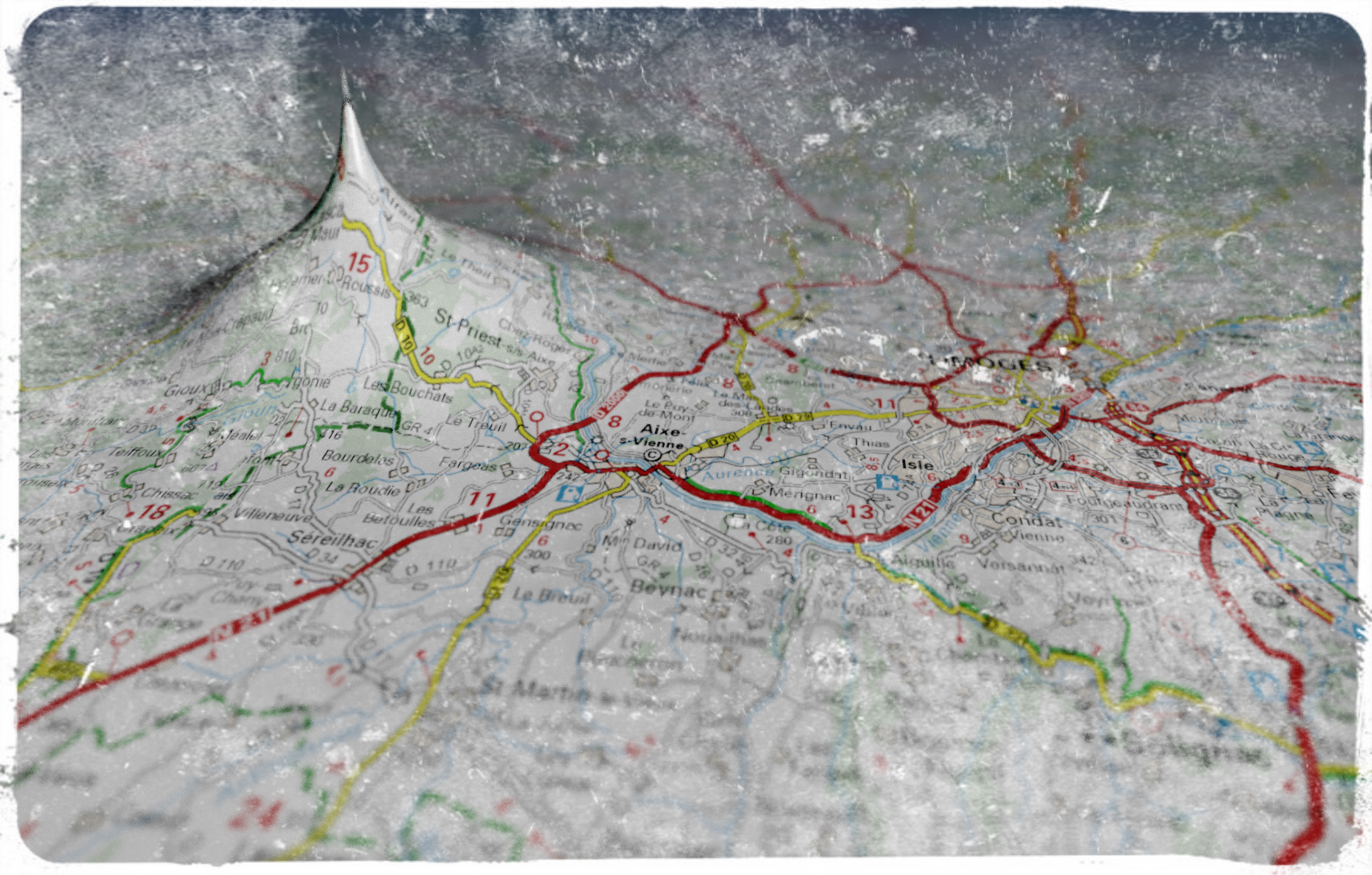
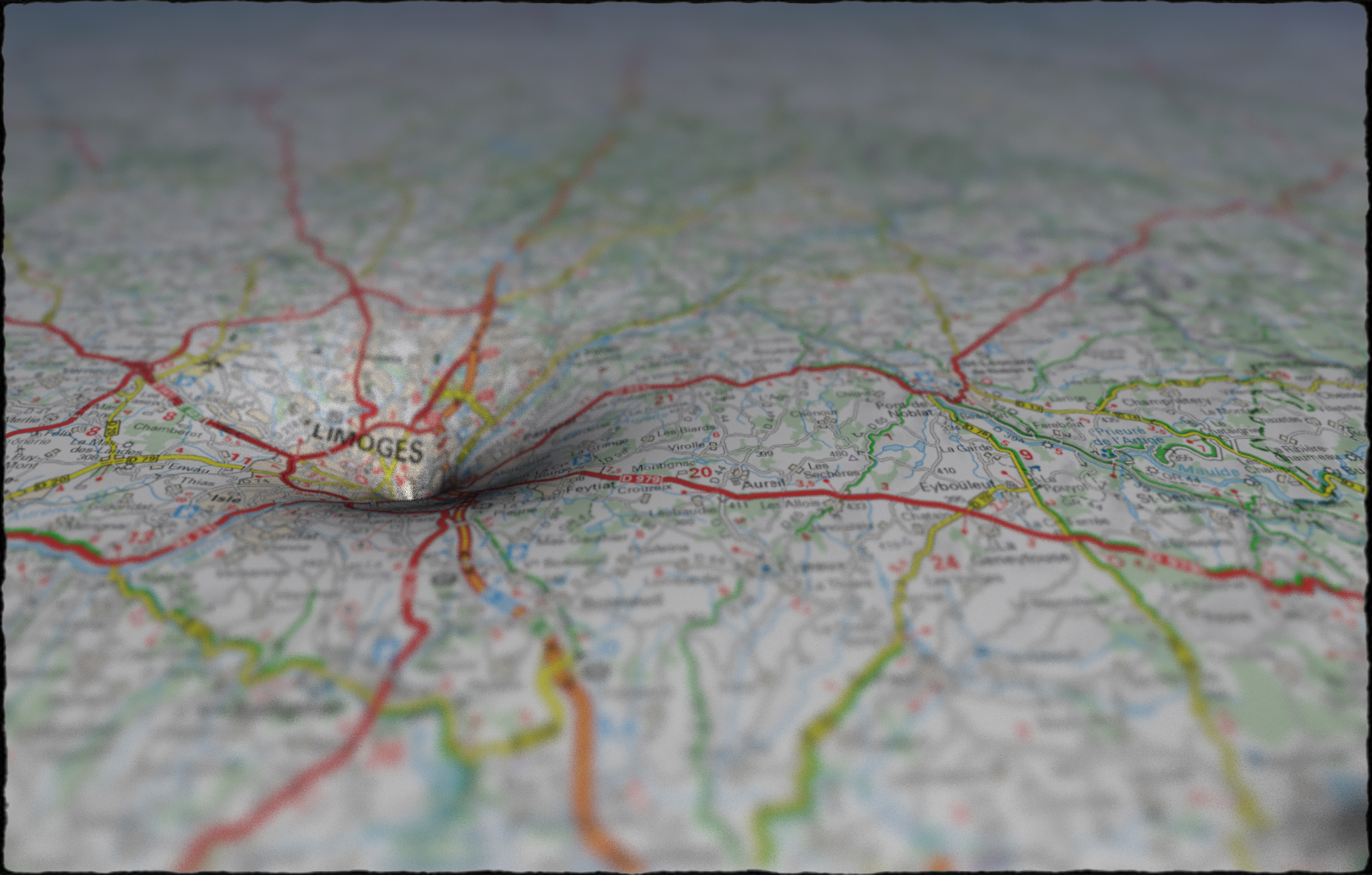
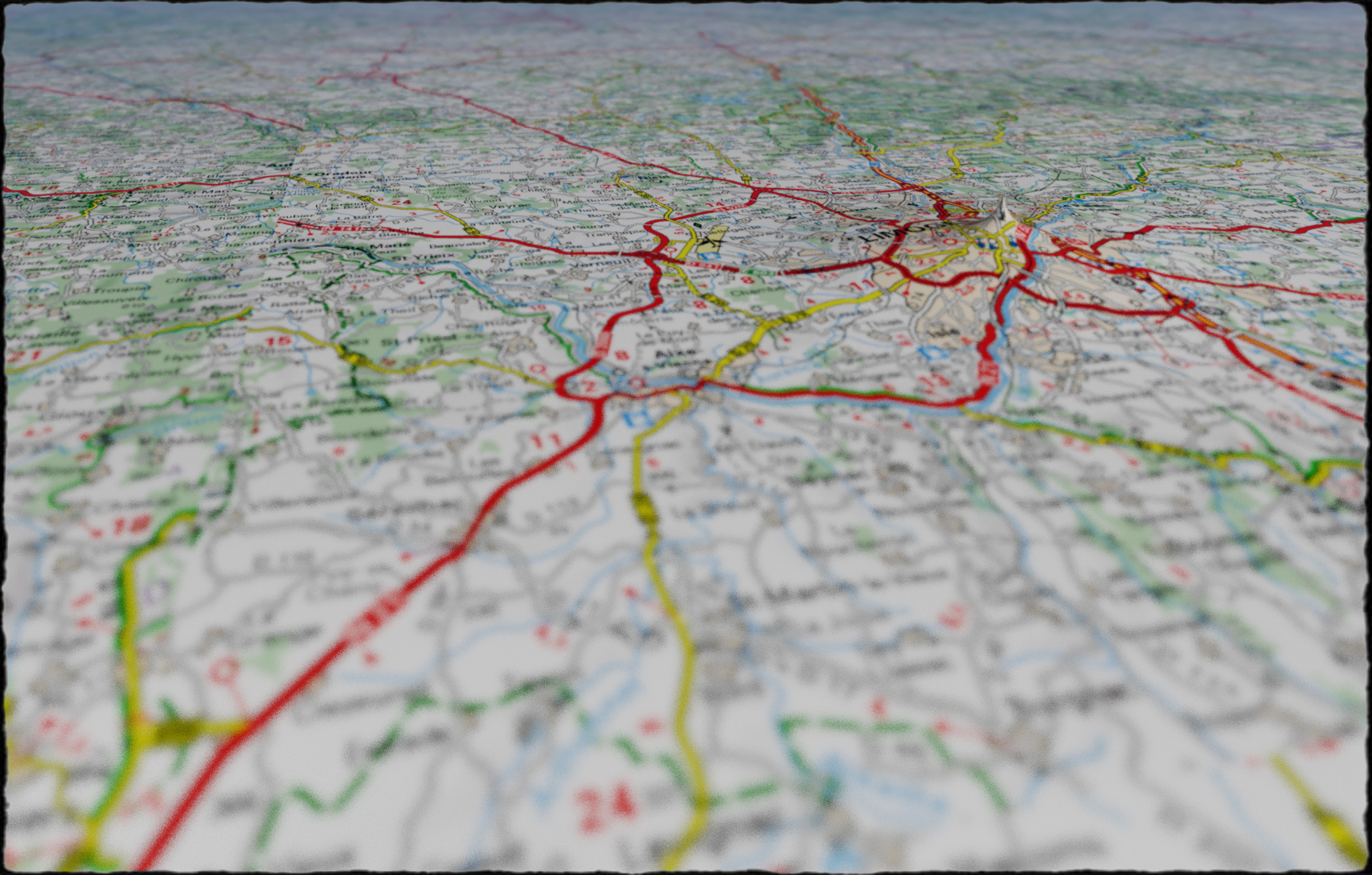
In Michel Houellebecq’s novel The Map and the Territory, the (fictional) principal character gains some fame by creating a series of photographs of Michelin road maps. Some of the images are described in detail: in particular one taken of a map near the village of Châtelus-le-Marcheix.

I decided to recreate this (using Fragmentarium to simulate the camera optics). And of course I couldn’t resist to add a few singularities to the projection model.

As for the maps, I used the online version of Michelin’s road maps taken from the same region – hopefully this qualifies as fair use.

Click the images to see a larger version – these images work better when viewed large.

WebGL for Shader Graphics

Web applications are becoming popular, not at least because of Google’s massive effort to push everything through the browser (with Chrome OS being the most extreme example, where everything is running through a browser interface).

Before WebGL, the only way to create efficient graphics was through plug-ins, such as Adobe’s Flash, Microsoft’s Silverlight, Unity, or Google’s O3D and Native Client. But WebGL is a vendor independent technology, directly integrated with the browser’s JavaScript language and DOM model.

Unfortunately, WebGL browser support is limited. WebGL is not available in Internet Explorer on Windows, and is not enabled by default in Safari on Mac OS X. This means that roughly 50% of all internet users won’t have access to WebGL content. WebGL is not supported on iOS devices either (even though it is accessible for iAds, and can be enabled on jail-broken devices).

What is worse, is that Microsoft do not even plan to support WebGL, since they consider it a security threat. Their concerns are reasonable, but their solution is not: it would be much better if they simply showed a dialog box message, warning the user that executing WebGL provides a security risk, and giving a choice to continue or not – the same way they warn about plugins and downloaded executables.

Some very impressive stuff has been done using WebGL, though: for instance ro.me, Path Tracing (Evan Wallace) , Cars (Altered Qualia), Terrain Editor (Rob Chadwick), Traveling Wavefronts (Felix Woitzel), Hartverdrahtet.

Using WebGL for Fractals

There are already some great tools available for experimenting with WebGL: ShaderToy, GLSLSandbox, WebGL Playground. Their main weakness is that it is difficult to store state information (for instance, if you want a movable camera), since this cannot be done in the shader itself, without using weird hacks. So, I decided to start out from scratch to get a feeling for WebGL.

WebGL (specification) is a JavaScript API based on OpenGL ES 2.0, a subset of the desktop OpenGL version designed for embedded devices such as cell phones.

Being a ‘modern’ OpenGL implementation, there is no support for fixed pipeline rendering: there is no matrix stack, no default shaders, no immediate mode rendering (you cannot use glBegin(…) – instead you must use vertex buffers). WebGL also misses some of more advanced features of the desktop OpenGL version, such as 3D textures, multiple render targets, and double precision support. And float texture support is an optional extension.

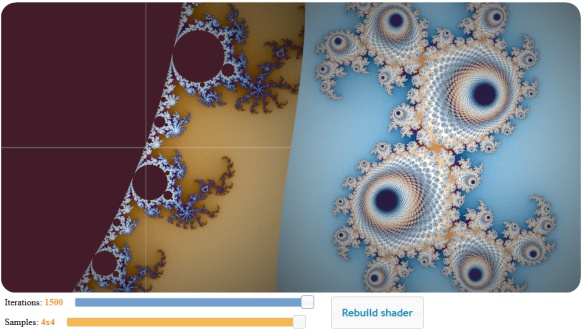
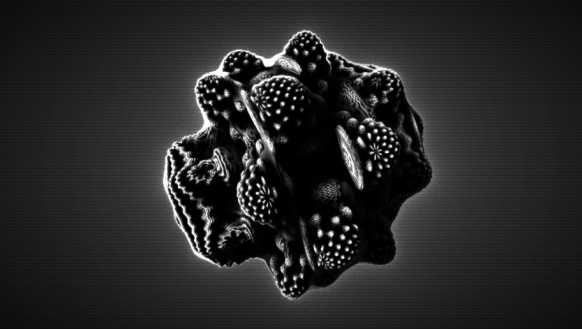
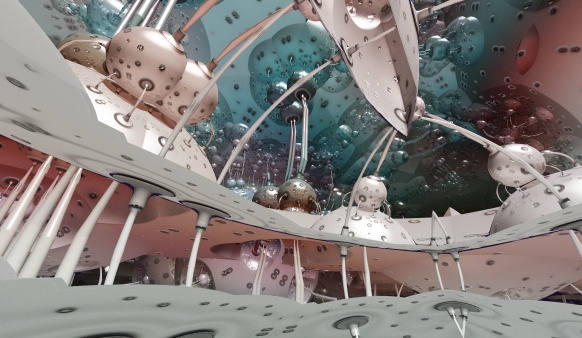
The first example I made was this Mandelbrot viewer: It demonstrates how to initialise WebGL and compile shaders, render a full-canvas quad, and process keyboard and mouse events and pass them through uniforms to the fragment shader.
Click the image to try out the WebGL demo.

A few programming comments. First JavaScript: I’m not very fond of JavaScript’s type system. The loose typing means that you risk finding bugs later, at run-time, instead of when compiling. It also means that it can be hard to read third-party code (which kind of parameters are you supposed to provide to a function like ‘update(ev, ui)’?). As for numerical types, JavaScript only has the Number type: an IEEE 754 double precision type – no integers!. Some browsers also silently ignore errors during run-time, which makes it even harder to find bugs. On the positive side is the quick iteration time, and the Firebug Firefox plugin, which is an extremely powerful tool for debugging web and JavaScript code.
As for the HTML, I still find it difficult to do table-less layout using floating div’s and css. I’m missing the flexible layout managers that many desktop UI kits provide, which makes it easy to align components and control how they scale when resized (but I may be biased towards desktop UI’s). Also, as HTML was not designed with UI widgets in mind, you have to use a third-party library to display a simple slider: I chose jQuery UI, which was easy to setup and use.

Finally the WebGL: The WebGL GLSL shader code is very similar to the desktop GLSL dialect. The biggest difference is the way loops are handled. Only ‘for’ loops are available, and with a very restricted syntax. It seems the iteration count must be determinable at compilation time (probably because some implementations unroll all loops), which means you no longer can use uniforms to control the loops (you can, however, ‘break’ out of loops dynamically based on run-time variables). This means, that in order to pass the iteration count and number of samples to the Mandelbrot shader, I have to do direct text substitutions in the shader code and recompile.

But my biggest frustation was caused by the ANGLE translation layer. Even for this very simple example, I had several issues with ANGLE – see the notes below.

Feel free to use the example as a starting point for further experiments – it is quite simple to modify the 2D shader code.

Notes about ANGLE

A problem with WebGL is poor graphics driver support for OpenGL. Chrome and Firefox have chosen a very radical approach to solve this: on Windows, they convert all WebGL GLSL shader code into DirectX 9 HLSL code through a converter called ANGLE. Their rationale for doing this, is that OpenGL 2.0 drivers are not available on all computers. However, several shaders won’t run due to the ANGLE translation, and the compilation time can be extremely slow. Wrt drivers, older machines with integrated graphics might be affected, but anything with a less than five year old Nvidia, AMD, or Intel HD graphics card should work with OpenGL 2.0.

In my experiments above, I ran into a bug that in some cases make loops with more than 255 iterations fail (I’ve submitted a bug report).

When debugging ANGLE problems, a good first step is to disable ANGLE and test the shaders. In Chrome, this can be done by starting the executable with the comand line argument –use-gl=desktop. You can check your ANGLE version with the URL chrome://gpu-internals/. In Firefox use the about:config URL, and webgl.force-enabled=true and webgl.prefer-native-gl=true to disable ANGLE.

It is also possible to get the translated HLSL code using the WEBGL_debug_shaders extension. However, this extension is only available for privileged code, which means Chrome must be started with the command line parameter –enable-privileged-webgl-extensions. After that the HLSL source can be obtained by calling:

var hlsl = gl.getExtension("WEBGL_debug_shaders").getTranslatedShaderSource(fragmentShader)

I still haven’t found an workaround for this earlier Mandelbulb experiment (using GLSLSandbox), which fails with another ANGLE bug:
Click the image to try out the WebGL demo (fails on ANGLE systems).

But, I’ll try implementing it from scratch to see if I can find the bug.

Distance Estimated 3D Fractals (Part VIII): Epilogue

This is the last post in my introduction to distance estimated 3D fractals (see Part one for an overview). Originally, I intended this to be much shorter and more focused, but different topics kept sneaking up on me.

This final post discusses hybrid systems, and a few things that didn’t fit naturally in the previous posts. It also contains a small collection of links to relevant resources.

Hybrids

All the fractal systems mentioned in the previous parts apply the same transformation to each point for a number of iterations. But there is nothing that prevents applying different transformations at each iteration step. This has led to a number of hybrid systems, using building blocks from different fractals. They are very popular in Mandelbulb 3D, which comes with a huge library of transformations, which may be stringed together in a vast number of possible combinations.

Spudsville

It is difficult to trace the origin of many of these hybrids, since they are often cloned and modified. One of the more interesting base forms is the Spudsville system by Lenord (see also Hal Tenny’s tutorial on this system).

It is based on the following recipe:

5 x { Mandelbox, i.e. BoxFold, SphereFold, Scaling, Offset }
50 x {BoxFold, Mandelbulb power-2 Squaring }

Pseudo Kleinian

This is another popular base form, based on parameters from Theli-at’s Kleinian Drops. It is based on this formula:

12 x { Scale -1 Mandelbox }
1 x {BoxFold, Mandelbulb power-2 Squaring }
400 x { Scale 2 Mandelbox  }

A version of a similar system is available in Fragmentarium as “Knighty Collection/PseudoKleinian.frag”:

It is also possible to throw some Menger structure into the mix (see “Knighty Collection/PseudoKleinianMenger.frag”):

It is a very diverse system: this is the same formula, that I used as a base form for both Time Pieces:

and Pseudo-Kleinian Blue:

There really is no end to the possibilities. Here is another example:

where an octahedral symmetry transformation has been substituted in a Spudsville-like system:

7 x { Mandelbox, i.e. BoxFold, SphereFold, Scaling, Offset }
7 x { Octahedral, Mandelbulb power-2 Squaring } 

The question is how to construct a suitable distance estimator for these hybrids systems. There is no easy answer to this. Mandelbulb3D and Mandelbulber both use the numerical gradient approximation discussed in part V of this series.

If the system is composed only of conformal transformations, the scalar approach discussed in part VI will be sufficient.

But for general combinations there is no easy way: it is often possible to guess a decent distance estimator, but more often than not, the analytic distance estimator overshoots and needs to be compensated by a fudge factor.

Interior renderings

The Mandelbrot distance estimation formula discussed in part V is only valid for exterior distances. There also exists a formula for the interior distance (for the 2D case), but it is much more complex than the exterior one, since it requires detecting cycles in the orbit.

However, in some cases the exterior distance estimate (or the absolute value of it), also works as an interior estimate (thanks to Visual for pointing this out). Here is an example of the interior of a Mandelbulb:

Geometric Orbit Trapping

Orbit trapping is often used to color fractals. During the orbit calculation the minimum distance to various geometric objects is stored (often the center, a sphere shell, or the x,y, and z-planes).

But it is also possible to use orbit traps to define the geometry of the fractals. Here is a standard Kaleidoscopic IFS like system, defined by DE such as:

float DE(vec3 z)
{
	int n = 0;
	while (n++ < Iterations) {
		// ...do some transformations here
		n++;
	}
	return length(z)*pow(Scale, float(-n));
}

resulting in an image like this:

but by inserting a trap-function and keeping the minimum value, we can create some interesting geometric variations:

float DE(vec3 z)
{
	int n = 0;
	float d= 1000.0;
	while (n++ < Iterations) {
		// ...do some transformations here
		n++;
		d = min(d,  trap(z) * pow(Scale, float(-n)));
	}
	return d;
}

for instance, using a cylinder-function for trap(z) results in an image like this:

Heightmap renderings

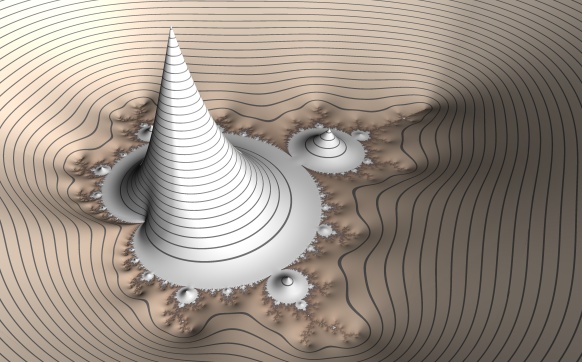
It is also possible to use distance estimated methods to draw heightmaps of fractals, e.g.:


Included in Fragmentarium as 'Knighty Collection/MandelbrotHeightField.frag'

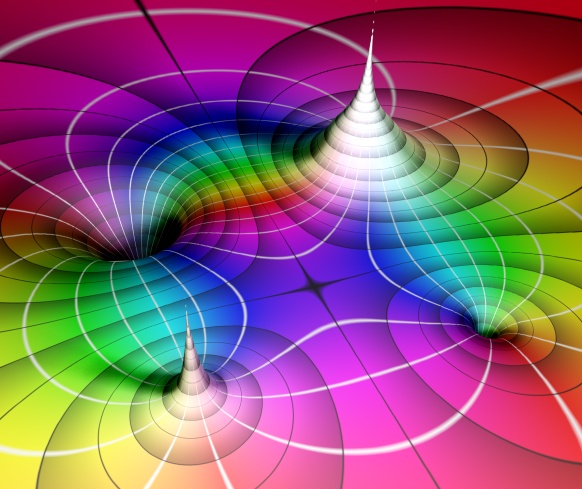
Or use heightmaps to visualize the algebraic structure of poles and zeroes in the complex plane:


Included in Fragmentarium as 'Experimental/LiftedDomainColoring3D.frag'

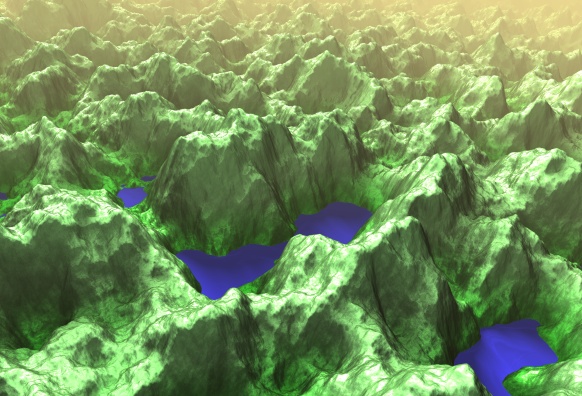
Heightmaps can also be generated from Perlin Noise, to create more realistic terrains:


Included in Fragmentarium as 'Experimental/Terrain.frag'

Knots, Polytopes, and Honeycombs

It is also possible to use distance estimation techniques to depict other mathematical structures than fractals. I've written about them before, but Knighty has explored DE's for knots and polyhedra:

for four-dimensional polychora:

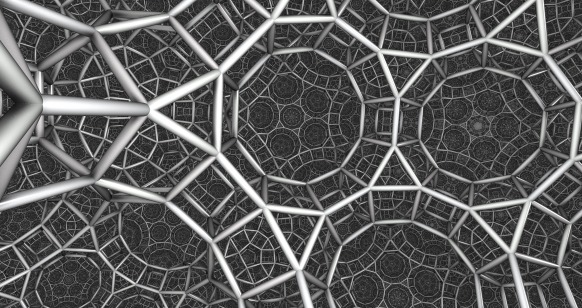
and even for hyperbolic honeycombs:

(There are several examples included with Fragmentarium)

Resources

Software

The easiest way to start exploring 3D fractals is probably by trying Mandelbulb 3D or Mandelbulber. Both are very powerful and feature-rich applications.

Mandelbulb 3D (by Jesse) is probably the most used 3D fractal creation tool (judging by pictures posted at Fractal Forums). It contains many different formulas and fragments, which can be combined as hybrids. It is free, closed-source, CPU-based, and Windows only.

Mandelbulber (by Buddhi) is open source, and available for Windows, Linux, and Mac. CPU-based, but with OpenCL preview!

GPU Based renderers

Fragmentarium is my own playground for working with GPU (GLSL) based pixel graphics. It is meant to create a modular and interactive environment for working with 2D and 3D graphics. All the images in this series of blog post were made with Fragmentarium, and many of the systems are included as examples.

Rrrola's Boxplorer is a fast interactive Mandelbox explorer. It has been extended by Marius Schilder in Boxplorer2 to include spline animations, stereo view, and many examples of fractal systems.

Subblue's Pixel Bender Mandelbulb script was one of the first GPU implementations. He has made many great fractal animations and images, so be sure to visit his web site. He also created the impressive Fractal Lab WebGL site, which made it possible to explore fractals directly in a browser (the site is currently under reconstruction)

Eiffie's Animandel Pro is a tool for creating fractal animations. It features a GLSL editor and even an integrated C-compiler for dynamically compiled CPU code. It is certainly not the easiest way to get started, but as can be seen from Eiffie's videos it is a powerful tool.

Web sites and papers

Fractal Forums is the place, where all the new development and discoveries can be followed. It's a treasure chest filled with information, but it can be difficult to find it in the archives. A good place to start is the original Mandelbox thread and the thread about DE's for the Mandelbox.

Daniel White’s Mandelbulb site is probably the best account of the history of this fractal. Also see Paul Nylander’s Hypercomplex systems.

Tom Lowe's Mandelbox site has a lot of information on the Mandelbox, collected by the person who discovered it himself.

Hypercomplex Iterations: Distance Estimation and Higher Dimensional Fractals (2002). by Dang, Kaufmann, and Sandin is a rare mathematical treatment of higher-dimensional fractals and their distance estimates. It is free (but tough!).

J. C. Hart's original paper Ray tracing deterministic 3-D fractals and his sphere tracing papers are must-reads. He has also written many other great papers.

Pouet.net is a web site for demo scene coders. There is a strong emphasis on heavily optimized and efficient code. Several demos features distance estimation and fractals.

In particular Iñigo Quílez has explored fractals and distance fields in a demo scene context. His Rendering Worlds With Two Triangles is a good introduction to distance field rendering. But be sure to check out Quilez's website - there is an abundance of good stuff, including lots of tutorials.