Although it is possible to use Structure Synth together with third party renderers (such as PovRay, SunFlow and Blender), it requires some… ingenuity.
The template rendering system offers a flexible way to export structures, but as of now the system is not completed and not documented at all. This mini tutorial offers an introduction for early (and adventurous) adopters.
For the tutorial, the following EisenScript may be used:
Nabla.es
Rendering the EisenScript as OpenGL inside Structure Synth results in something like the following:
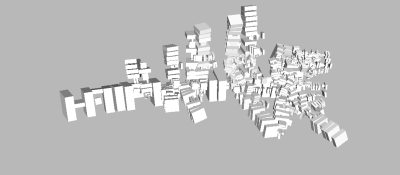
Not very exciting.
Now, choose ‘Template Render to File… | sunflow.rendertemplate’ and save the resulting text-file as something with an ‘*.sc’ extension (A SunFlow scene description file) – for instance ‘Nabla.sc’.
Start SunFlow, choose ‘Open File’ and import the ‘*.sc’ scene file.
Next, by clicking ‘Render’ a nicely raytraced version of the image should emerge:
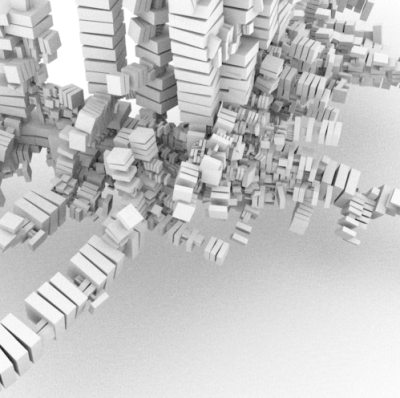
A few important points: as of now the camera settings are not exported, so in most cases it is necessary to modify the SunFlow scene file by hand. I’m working on this. Meanwhile, in the scene file look for the following code block:
camera {
   type pinhole
   eye    3.27743673325 -9.07978439331 9.93055152893
   target 0 0 0
   up     0 0 1
   fov    40
   aspect 1
}
For higher resolution images, modify the following lines to the desired resolution:
image {
   resolution 500 500
   aa 1 2
}
This app is wicked. Thanks. I’m playing with it on OS X and it seems to run smooth.
I also managed to render the output in sunflow, but the camera was out of wack. Seems to be fixed to a specific point by default. Would be nice to be able to place that with some kind of GUI without having to go edit the sunflow text and gues-timate multiple times “eye 3.27743673325 15.07978439331 30.93055152893”. Maybe I’m missing something?
Cheers
Hi,
You are absolutely correct – as of now, the camera is hard-coded in the template file – and it is really, really annoying 🙁
I haven’t had a lot of spare time lately, but when I do, I’ll try to fix this!