A new version of Structure Synth has been released. It has several new features.
New commands
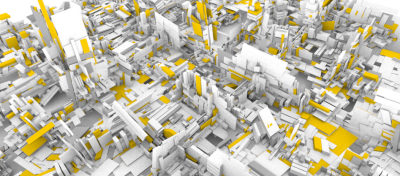
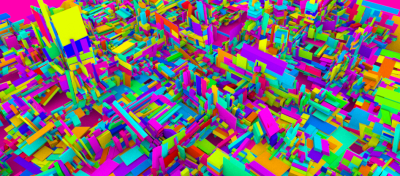
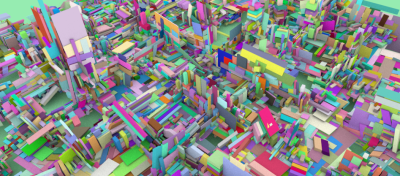
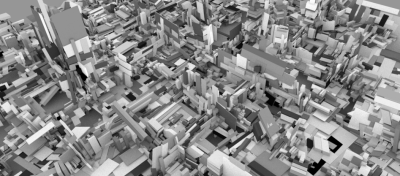
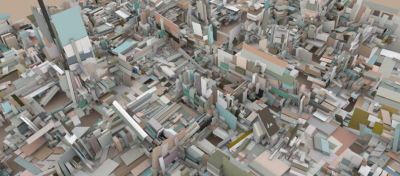
First of all a new system for generating random colors has been created – it is possible to use multiple palettes, including sampling colors from bitmap pictures. This was covered in a previous blog post.
The EisenScript has been extended with a few other commands: It is now possible to terminate the structure building when a given state reaches either a minimum or a maximum size. A new color blend operator was also introduced.

(The new color blending operator)
The new set seed initial command is also a very interesting addition: this makes it possible to combine randomness with self-similarity.

(Example of a random system, but with fractal properties)
Structure Synth now also supports drag’n’drop of EisenScript files onto the GUI. It is also possible to pass an EisenScript file as an argument to Structure Synth from the command line (this also makes file associations possible).
Licensing and packaging
A new license option is now available for Structure – previously the only option was GPL, but now Structure Synth is dual licensed under both the LGPL and GPL license. This was made possible, after Nokia acquired Trolltech and changed the Qt open-source licensing. I really think this is a wise move by Nokia – it will certainly speed the adoption of this excellent API. The LPGL makes it possible to use Structure Synth functionality in commercial and/or closed-source applications (e.g. VVVV integration would now be a possibility).
The examples and the export templates have also been cleaned – and new SunFlow templates by Neon22 and Groovelock have been added. Also a Blender importer by David Bucciarelli has been added. The PovRay exporter has also been restored.
Finally, Miriam Ruiz has begun creating Ubuntu and Debian packages for Structure Synth. Once approved they should be easily available on these platforms too.
Release Notes
Structure Synth 0.9.5 (“Haiku”) Released
Binaries for XP and Vista.
Mac binaries will hopefully be available soon.
Linux is still source only.
New features:
- New color features: a ‘random color’ operator with different palettes (random hue, random rgb, greyscale, sampling from image, or from user-defined list).
- Now uses two independent (Mersenne Twisters) random number generators: one for geometry and one for colors.
- Upgraded to Qt 4.5.0. Now Structure Synth is dual licensed under GPL and LGPL.
- Added ‘blend {color} {strength}’ operator.
- Added ‘set seed initial’ for syncing random seed.
- Added ‘set maxsize …’ and ‘set minsize …’.
- Added support for specifying a startup .es file on the Commandline (this makes file associations possible).
- Added support for drag’and’drop (drop a .es file onto the clipboard).
- Added simple GUI for manipulating preprocessor defines.
- Added templates by Neon22 and Groovelock to the distribution.
Minor changes and bug fixes:
- Added close icon to tabs.
- Applied more aggressive optimization on Windows build (SSE2/fast fp-math). SSE2 is now required!
- Fixed a bug where a recursive rule (not producing objects) could fill memory.
- Added export of background color to templates.
- BugFix: The scrollwheel can now be used to zoom again.
- PovRay template export has been restored. The Camera export still needs some work, but it should be usable again.
Download from: